MySQL Aggregate Functions Explained: COUNT(), SUM(), AVG(), MAX(), MIN() with Examples
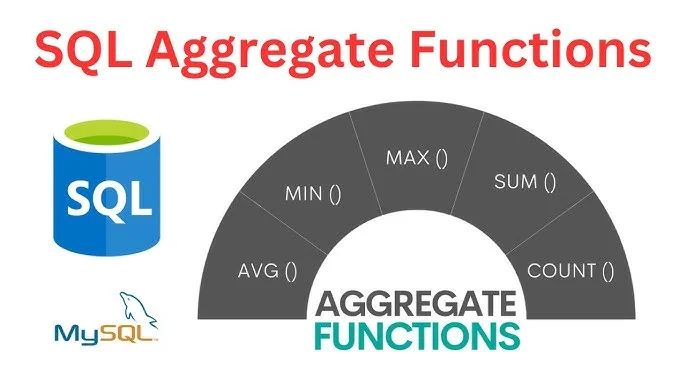
What are MySQL aggregate functions?
Aggregate functions in MySQL are used to perform calculations on multiple rows and return a single summarized value.
These functions are commonly used in reports, dashboards, analytics, and business applications where you need summarized information instead of individual records.
For example, you can use aggregate functions to find the following:
-
Total number of employees
-
Total sales amount
-
Average salary
-
Highest salary
-
Lowest product price
If you build reporting systems or dashboards, understanding aggregate functions is essential.
List of MySQL Aggregate Functions
The most commonly used aggregate functions are:
| Function | Description |
|---|---|
| COUNT() | Counts the number of rows |
| SUM() | Returns the total of numeric values |
| AVG() | Calculates the average value |
| MAX() | Returns the highest value |
| MIN() | Returns the lowest value |
Sample Table
Suppose we have a employees table.
| ID | name | department | salary |
|---|---|---|---|
| 1 | Rahul | IT | 45000 |
| 2 | Amit | HR | 30000 |
| 3 | Neha | IT | 55000 |
| 4 | Priya | Sales | 40000 |
| 5 | Mohit | IT | 60000 |
1. COUNT()
The COUNT() function returns the total number of records.
Example
SELECT COUNT(*) AS total_employees
FROM employees;
Output
5
Count Non-NULL Values
SELECT COUNT(salary)
FROM employees;
This counts only the rows where the salary column is not NULL.
COUNT(*) vs COUNT(column)
COUNT(*)
Counts every row in the table.
SELECT COUNT(*)
FROM employees;
COUNT(column)
Counts only the non-NULL values in the specified column.
SELECT COUNT(email)
FROM employees;
If the email column contains NULL values, they will not be counted.
2. SUM()
The SUM() function calculates the total of a numeric column.
Example
SELECT SUM(salary) AS total_salary
FROM employees;
Output
230000
The query returns the total salary of all employees.
3. AVG()
The AVG() function calculates the average value.
Example
SELECT AVG(salary) AS average_salary
FROM employees;
Output
46000
This returns the average salary of all employees.
4. MAX()
The MAX() function returns the highest value.
Example
SELECT MAX(salary) AS highest_salary
FROM employees;
Output
60000
5. MIN()
The MIN() function returns the smallest value.
Example
SELECT MIN(salary) AS lowest_salary
FROM employees;
Output
30000
Using Aggregate Functions with WHERE
Aggregate functions can be combined with the WHERE clause to filter records before performing calculations.
Example
SELECT SUM(salary)
FROM employees
WHERE department = 'IT';
Output
160000
Only employees from the IT department are included in the calculation.
Using Aggregate Functions with GROUP BY
The GROUP BY clause allows you to perform aggregate calculations for each group separately.
Department-wise Total Salary
SELECT department,
       SUM(salary) AS total_salary
FROM employees
GROUP BY department;
Output
| Department | Total Salary |
|---|---|
| IT | 160000 |
| HR | 30000 |
| Sales | 40000 |
Department-wise Average Salary
SELECT department,
       AVG(salary) AS average_salary
FROM employees
GROUP BY department;
Department-wise Employee Count
SELECT department,
       COUNT(*) AS total_employees
FROM employees
GROUP BY department;
Output
| Department | Employees |
|---|---|
| IT | 3 |
| HR | 1 |
| Sales | 1 |
Using Aggregate Functions with HAVING
The WHERE clause filters individual rows before grouping.
The HAVING clause filters grouped results after aggregation.
Example
SELECT department,
       SUM(salary) AS total_salary
FROM employees
GROUP BY department
HAVING SUM(salary) > 50000;
Output
| Department | Total Salary |
|---|---|
| IT | 160000 |
Using Multiple Aggregate Functions Together
You can use multiple aggregate functions in a single query.
SELECT
    COUNT(*) AS total_employees,
    SUM(salary) AS total_salary,
    AVG(salary) AS average_salary,
    MAX(salary) AS highest_salary,
    MIN(salary) AS lowest_salary
FROM employees;
Output
| Total Employees | Total Salary | Average Salary | Highest Salary | Lowest Salary |
|---|---|---|---|---|
| 5 | 230000 | 46000 | 60000 | 30000 |
Real-World Example
Suppose you are building an e-commerce dashboard.
SELECT
    COUNT(*) AS total_orders,
    SUM(total_amount) AS total_sales,
    AVG(total_amount) AS average_order,
    MAX(total_amount) AS highest_order,
    MIN(total_amount) AS lowest_order
FROM orders;
This single query provides key business statistics for your dashboard.
Common Mistakes
1. Forgetting GROUP BY
Incorrect:
SELECT department, SUM(salary)
FROM employees;
Correct:
SELECT department, SUM(salary)
FROM employees
GROUP BY department;
2. Using WHERE Instead of HAVING
Incorrect:
SELECT department,
       SUM(salary)
FROM employees
WHERE SUM(salary) > 50000;
Correct:
SELECT department,
       SUM(salary)
FROM employees
GROUP BY department
HAVING SUM(salary) > 50000;
3. Confusing COUNT(column) with COUNT(*)
COUNT(email)
This counts only non-NULL email values, not every row.
Performance Tips
-
Create indexes on frequently filtered columns.
-
Select only the required columns instead of using unnecessary data.
-
Use the
WHEREclause to reduce the number of rows before aggregation. -
Avoid unnecessary
GROUP BYoperations on very large datasets. -
Use
EXPLAINto analyze query execution plans and optimize performance.
Frequently Asked Interview Questions
What is an Aggregate Function in MySQL?
An aggregate function performs calculations on multiple rows and returns a single summarized value.
What is the difference between COUNT(*) and COUNT(column)?
COUNT(*) counts every row in the table.
COUNT(column) counts only non-NULL values in the specified column.
What is the difference between WHERE and HAVING?
-
WHEREfilters rows before grouping. -
HAVINGfilters grouped results after aggregation.
Can aggregate functions be used without GROUP BY?
Yes.
Without a `GROUP BY` clause, the aggregate function performs the calculation on the entire table and returns a single result.
Conclusion
Aggregate functions are one of the most important features of MySQL and are widely used in reporting, analytics, dashboards, payroll systems, inventory management, and financial applications.
By mastering COUNT(), SUM(), `AND` and `OR`, you can write powerful SQL queries that summarize large amounts of data efficiently.
Whether you're preparing for interviews or building real-world applications, understanding aggregate functions is a must-have SQL skill.
